E-Waste Recycling Let’s be honest, most of us have that one drawer, shelf, or dusty corner where old laptops, broken phones, and tangled chargers go to quietly retire. You know the spot. It’s the tech graveyard nobody talks about at dinner.
But here’s the thing: that old laptop sitting there isn’t just clutter. It’s a responsibility. And if you’re thinking about finally dealing with it — selling it, recycling it, or handing it off to a waste management company — there are a few critical steps you absolutely must take before it leaves your hands.
This guide walks you through everything, from protecting your data to finding the right e-waste recycling company in Delhi or wherever you’re located. Let’s get into it.
Why E-Waste and electronic waste disposal matter more than you think
Every year, millions of laptops, phones, and gadgets are tossed out incorrectly. They end up in landfills, leaching toxic materials like lead, mercury, and cadmium into the soil and groundwater. E-waste is now the fastest-growing waste stream in the world, and India alone generates over 3 million tonnes of it annually.
But beyond the environmental damage, there’s a quieter, more personal risk: your data. Your old laptop likely contains years of emails, passwords, banking details, photos, work files, and login credentials. If that device ends up in the wrong hands without being properly wiped, the consequences can be serious.
So before you search for a computer scrap buyer near me or drop your device at a collection bin, follow these steps.
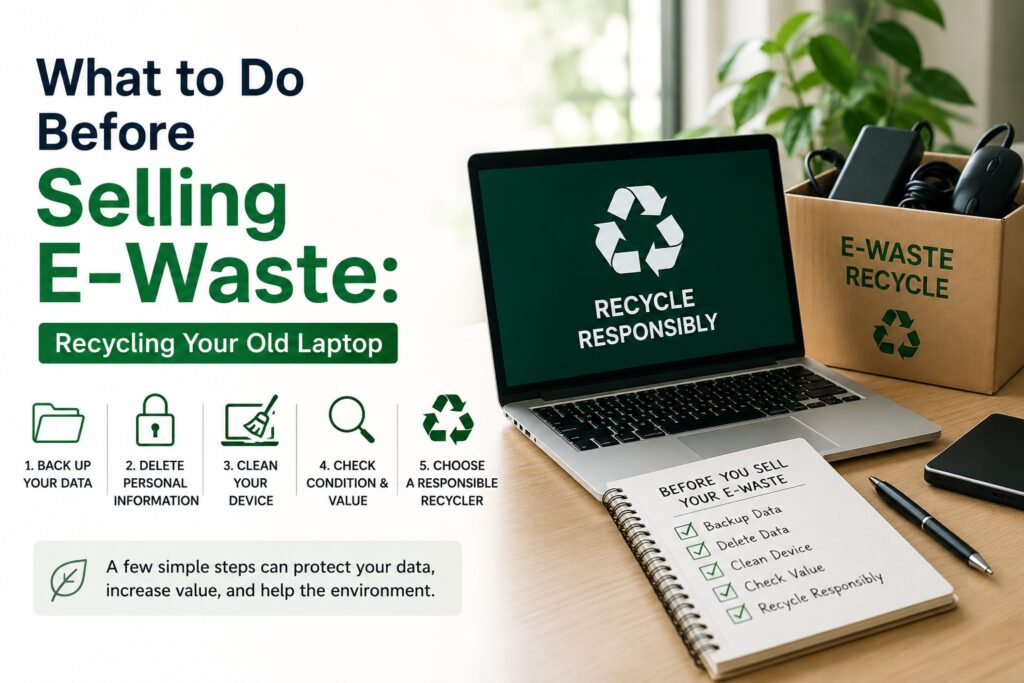
Step 1: Back Up Everything You Want to Keep
This sounds obvious, but people forget things all the time: an old folder of photos, a project file from three years ago, a notes document with passwords. Go through your laptop thoroughly.
Use an external hard drive, a USB drive, or cloud storage to save:
- Personal photos and videos
- Work documents and presentations
- Saved passwords (use a password manager going forward)
- Browser bookmarks
- Any software license keys you may need later
Take your time with this step. Once your data is wiped and the device is gone, there’s no getting it back.
Step 2: Sign Out of Every Account Before Contacting a Waste Management Company
This step is often skipped, and it’s a big mistake. Before doing anything else, manually sign out of:
- Google or Microsoft accounts
- iCloud (if applicable)
- Social media platforms (Facebook, Instagram, LinkedIn)
- Banking and payment apps
- Streaming services (Netflix, Spotify, etc.)
- Any work or corporate accounts
On Windows, go to Settings → Accounts and disconnect linked accounts. On a Mac, go to System Preferences → Apple ID and sign out. This prevents anyone from accessing your accounts, even if data recovery tools are used later.
Step 3: Deauthorize Software and Licenses
Many software products, such as Adobe Creative Cloud, Microsoft Office, and certain antivirus programs, limit the number of devices on which they can be active. If you don’t deauthorize your laptop before handing it over, you might lose one of those precious license slots.
Go into each application and look for a “Sign Out” or “Deauthorize This Device” option. It takes two minutes and saves you a headache later.
Step 4: Wipe Your Hard Drive — Why Data Destruction Services Are Essential
This is the most important step of all. Simply deleting files or even formatting your hard drive is not enough. Deleted files can be recovered using widely available software. You need a proper, thorough data wipe.
Here’s what to do:
For Windows laptops: Go to Settings → Update & Security → Recovery → Reset this PC → Choose “Remove Everything” → Select “Remove files and clean the drive.” This performs a more thorough wipe.
For Mac laptops: Restart in Recovery Mode (hold Command + R during startup), open Disk Utility, select your main drive, and use the Erase function with security options enabled.
For enterprise or corporate devices: Consumer-grade wiping may not be sufficient for business data. If your laptop contains sensitive client information, proprietary data, or confidential records, you should use professional data destruction services. Many reputable IT asset disposal companies offer certified data wiping that meets international standards like NIST 800-88 or DoD 5220.22-M.
Step 5: Use Professional Hard Disk Destruction Services for Sensitive Data
Sometimes, wiping isn’t enough — especially if you’re dealing with sensitive corporate data, medical records, or classified information. In those cases, physical destruction of the storage media is the only truly safe option.
Hard disk destruction services physically shred, crush, or degauss your hard drives, making data recovery completely impossible. These services also provide a certificate of destruction, which is important for regulatory compliance in industries like banking, healthcare, and legal services.
Why Hard Disk Destruction Services Are Critical for Businesses
If your company is managing dozens or hundreds of devices, this is where corporate e-waste management services become essential. A single device with unwiped data can expose an entire organization to a breach. Partnering with certified hard disk destruction services ensures you’re protected legally and operationally.
Step 6: Remove and Safely Store Any SIM Cards or Memory Cards
Laptops with built-in SIM slots or SD card readers may have removable storage you’ve forgotten about. Check every slot and port before handing the device over. That micro SD card tucked in the side might have documents or photos you didn’t account for during your backup.
Step 7: E-Waste Recycling Do a Physical Check and Minor Cleanup
Before you hand over or sell your device, give it a quick once-over:
- Clean the keyboard and screen with appropriate cleaning wipes
- Remove any stickers if you prefer (though some buyers don’t mind)
- Check for any accessories you may want to keep: charger, carrying case, dongles
- Note any physical damage honestly if you’re selling it
A well-presented device, even an old one, is easier to pass on and makes the transaction smoother.
Step 8: Find the Right Computer Scrap Buyer Near Me or E-Waste Recycling Company in Delhi
This is where a lot of people get stuck. Where exactly do you take an old laptop for responsible disposal?
Here are your main options:
Option A: Find a Trusted Computer Scrap Buyer Near Me
If your laptop still has some life in it (or valuable components like RAM, GPU, or batteries), you can sell it. Search for a computer scrap buyer near me and look for one that is certified, has positive reviews, and provides a receipt or handover document. Avoid random roadside buyers who may strip the device improperly.
Option B: Use a Certified E-Waste Recycling Company in Delhi
This is the most responsible route for devices that are too old or broken to sell. An e-waste recycling company in Delhi will ensure the device is dismantled safely, hazardous materials are handled correctly, and recoverable materials like copper, gold, and aluminium are extracted and reused.
Look for companies that are authorised by the Central Pollution Control Board (CPCB) in India, as they follow proper protocols for electronic waste disposal.
Option C: Partner with a Waste Management Company in Delhi
For businesses and organizations, partnering with a professional waste management company in Delhi or your region is the smart move. A reliable waste management company handles bulk collection, certified data destruction, recycling compliance, and documentation — all of which are crucial for regulatory audits.
Option: D Work with a Trusted IT Asset Disposal Company in Delhi
Companies dealing with large volumes of old hardware should work with a trusted IT asset disposal company. These specialists manage the full lifecycle from secure collection, data sanitization, refurbishment or recycling to issuing certificates of disposal. This protects both your data and your organization’s legal standing.
Corporate E-Waste Management: What Every Business Needs to Know
For businesses, corporate e-waste management isn’t just good practice it’s increasingly becoming a compliance requirement. Companies in regulated sectors must demonstrate that they’ve handled employee devices, servers, and IT hardware responsibly.
Building a Strong Corporate E-Waste Management Program
A well-structured corporate e-waste management program includes:
- Regular audits of IT assets
- Certified data destruction services for every outgoing device
- Documented chain of custody
- Partnership with a licensed e-waste recycling company in Delhi or another certified vendor
- Employee awareness training
Ignoring this can result in data breaches, regulatory fines, and reputational damage that no company wants to face.
What Happens to Your Laptop After Electronic Waste Disposal?
Here’s something not many people know: recycling a laptop isn’t the end of the story, it’s actually the beginning of a new one.
When your device reaches a certified waste management company or recycler:
- It’s logged and documented upon arrival
- Data storage components are wiped or physically destroyed
- The device is dismantled by trained technicians
- Hazardous materials (batteries, screens with mercury) are handled separately
- Metals like copper, gold, silver, and aluminum are extracted and sent to smelters
- Plastics are sorted and processed where possible
- A recycling certificate may be issued to you upon request
So your old laptop doesn’t just disappear. Its materials get a second life in new products, reducing the demand for freshly mined raw materials.
Common Mistakes to Avoid When Handling E-Waste
Before we wrap up, here are a few things people often get wrong:
- Selling without wiping: Never hand over a device without a full data wipe, even to someone you trust.
- Using unverified scrap buyers: Not all buyers follow responsible disposal practices. Look for a certified computer scrap buyer near me.
- Ignoring cloud-synced data: Even after wiping the device, check if your cloud accounts (Google Drive, OneDrive) were syncing sensitive files.
- Throwing it in regular trash: E-waste should never go in your household bin. It is hazardous and, in many places, illegal to dispose of in this way.
- Deleting files and thinking that’s enough: File deletion is not a data destruction service-level security.
Final Thoughts: Choose the Right E-Waste Management Company in Delhi for Your E-Waste
Taking care of your old laptop before recycling or selling it is genuinely one of those things that takes a couple of hours but protects you for years. Your data is personal. Your privacy matters. And the environment deserves better than another laptop ending up in a landfill.
Whether you’re an individual looking for a computer scrap buyer near you, a small business exploring electronic waste disposal options, or a large corporation building out a corporate e-waste management program, the steps are similar. Backup, wipe, deauthorize, and then partner with a certified, responsible vendor.
If you’re in the Delhi NCR region, there are excellent options for an e-waste recycling company in Delhi, certified hard disc destruction services, and a professional waste management company in Delhi that handles both individual and bulk corporate needs. Do your research, ask for certifications, and always get documentation.
Your old laptop may be at the end of its useful life for you, but handled right, it becomes a resource for someone else and a smaller burden on the planet.
Ready to recycle your old laptop responsibly? HKGroup’s E-Waste Recycling offers certified e-waste recycling, secure data destruction, and IT asset disposal solutions for individuals and businesses.
Contact HKGroup’s E-Waste Recycling today and ensure your electronic waste is managed securely, compliantly, and sustainably.